How to Open an Account on Belong (Step-by-Step Guide)
A colleague in our WhatsApp community recently asked if opening a Belong account would involve the same weeks of document couriering he endured with his NRE account.
He had PTSD from tracking couriers across continents and waiting for bank calls that never came on time.
His Belong account was active within 3 working days. Everything happened on his phone. No courier. No branch visits. No chasing relationship managers.
At Belong, we have simplified investing in India for NRIs through GIFT City. This guide walks you through each step of opening your account, from downloading the app to making your first investment.
Hundreds of NRIs have completed this process, and we know exactly where questions come up.
What is Belong and Why Should You Care?
Belong is a fintech platform built for NRIs to save and invest in India via GIFT City.
Unlike traditional NRE or NRO accounts that require extensive paperwork and physical verification, Belong operates entirely through GIFT City's offshore framework.
Your money stays in USD. Your returns are tax-free in India. And repatriation is straightforward because your funds never technically enter domestic India.
Belong holds a Payment Service Provider (PSP) license (IFSC/PSP/2025-26/003) and a broking license from IFSCA, the unified regulator for GIFT City.
This is the same authority that oversees major banks and fund houses operating in this zone.
👉 Tip: You do not need an NRE or NRO account to invest through Belong. Your overseas bank account is all you need.
Who Can Open a Belong Account?
Belong accounts are available to Non-Resident Indians (NRIs), Persons of Indian Origin (PIOs), and Overseas Citizens of India (OCIs).
If you hold an Indian passport and live abroad for employment or business, you qualify.
The platform currently serves NRIs in the UAE, with expansion planned to other countries including the UK, US, Canada, and Singapore.
Not sure about your residential status? Use the Belong Residential Status Calculator to confirm whether you qualify as an NRI under Indian tax law.
Documents You Need Before Starting
Keep these ready before you begin. Having everything prepared reduces your onboarding time from hours to minutes.
The Aadhaar requirement is specifically for the e-signing step.
You will need access to the mobile number linked to your Aadhaar to receive the OTP.
👉 Tip: Before starting, confirm your Aadhaar is linked to a mobile number you can access. This is essential for completing the e-sign step.
Step 1: Download the Belong App
The Belong app is available on both iOS and Android. You can download it from:
Google Play Store:Download for Android
App Store:Download for iOS
The app is lightweight and works smoothly on UAE mobile networks. You will use the same app for account opening, KYC submission, fund transfers, and investment tracking.
Step 2: Login to the App
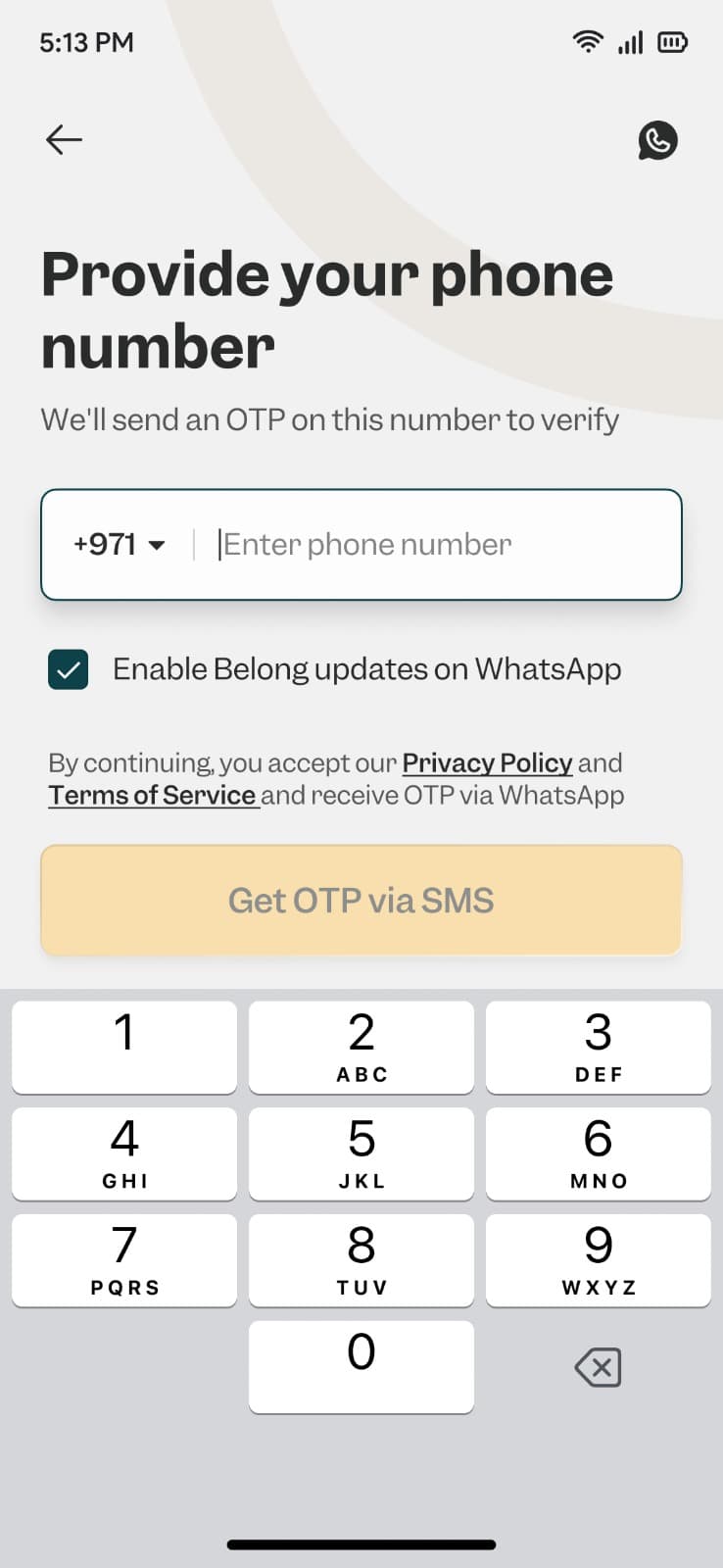
Open the app and login using the phone number and email ID you intend to use for your account.
Choose these carefully because they become your primary contact details for all communications and OTP verifications.
We recommend using your primary UAE mobile number and an email address you check regularly.
Transaction alerts, FD receipts, and important updates will come to these contacts.
Step 3: Complete KYC on the App
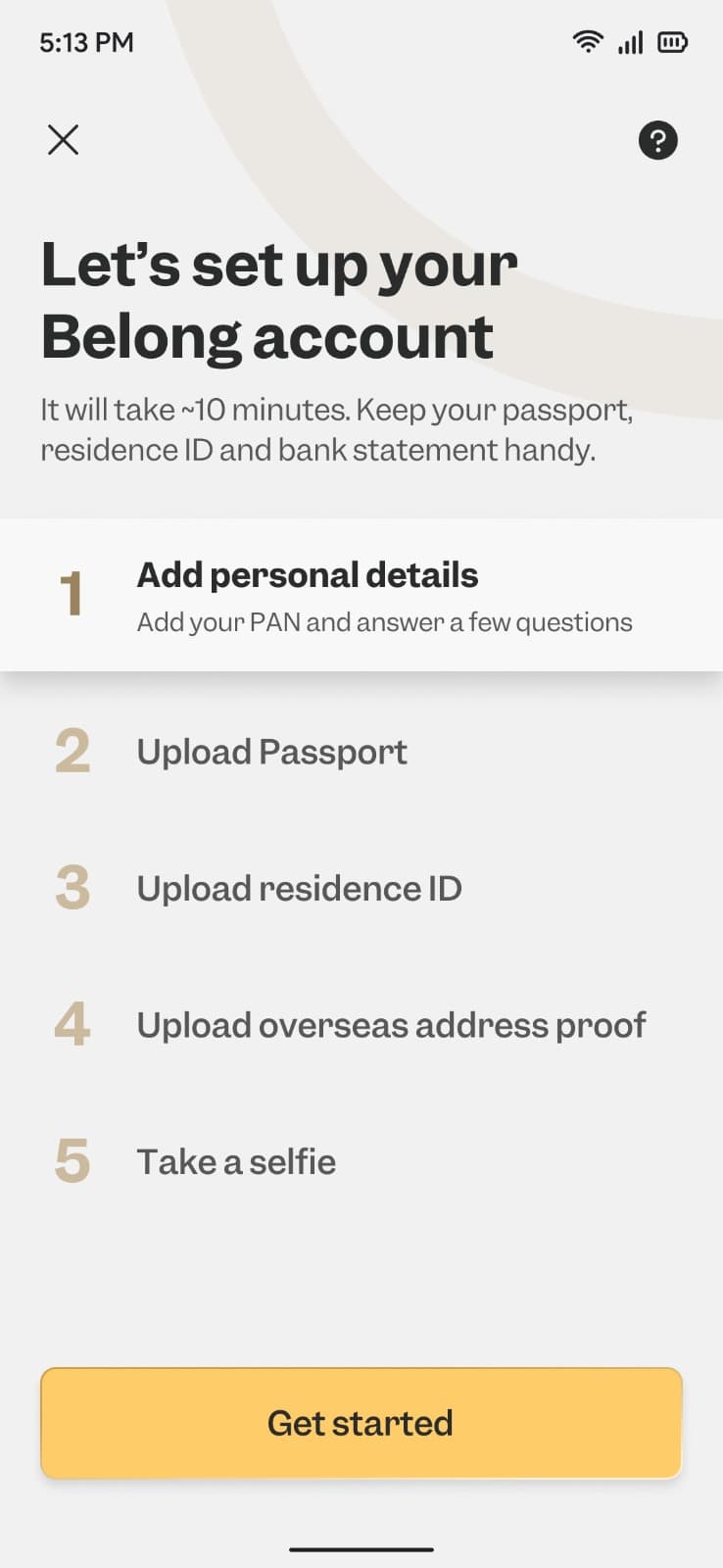
Completing KYC on the app is a one-time mandatory process required to verify your identity. This is where you provide your personal details and upload your documents.
The KYC process asks for your name (as it appears on your passport), date of birth, current overseas address, and employment details. You will also upload scans or photos of your passport, Emirates ID, and address proof.
The app guides you through each field. Most users complete this step in about 5 minutes if they have their documents ready.
For detailed instructions on each KYC field, refer to the Belong help center article on completing KYC.
👉 Tip: Complete the KYC in one sitting. Partial applications can timeout, and you may need to re-enter information.
Step 4: Complete Aadhaar E-Sign
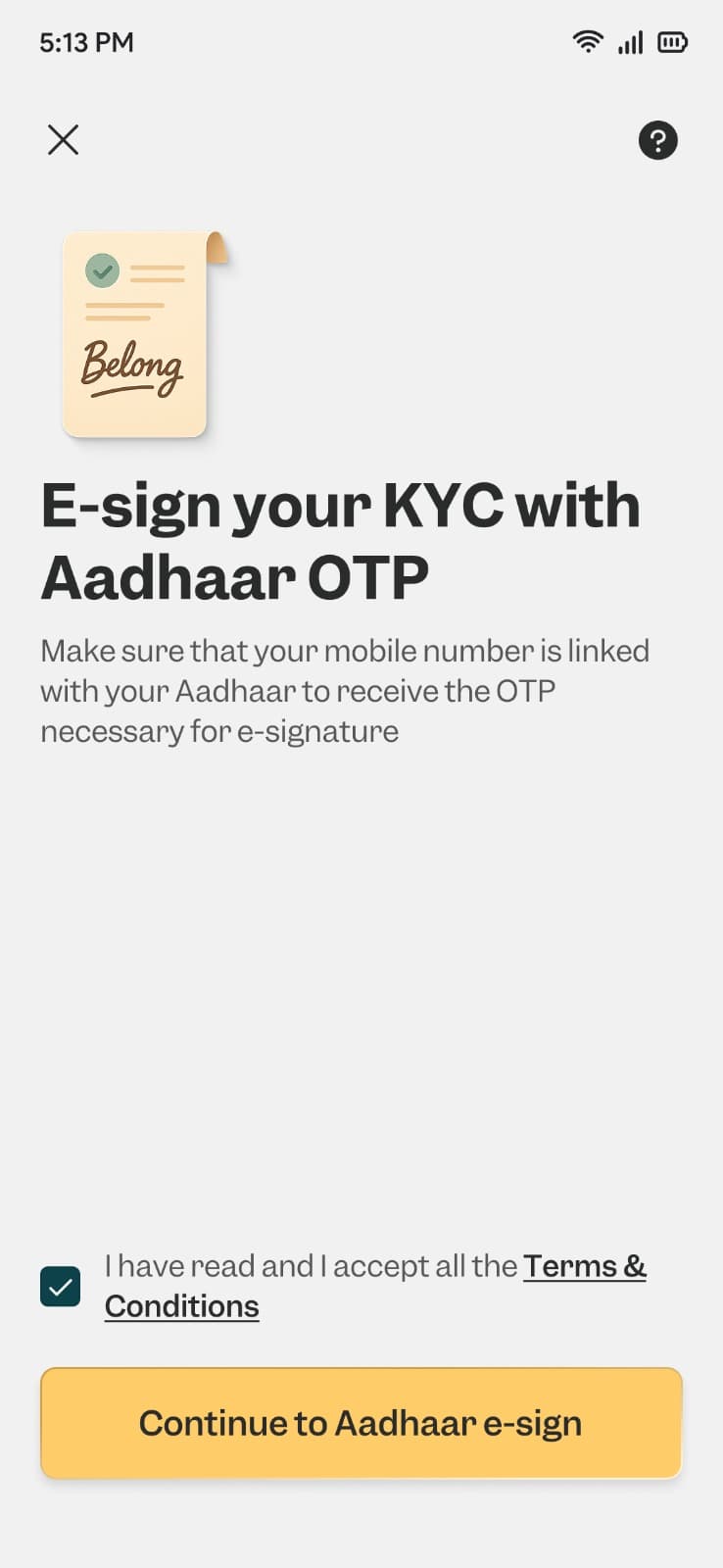
This is the step that makes Belong's onboarding truly digital. Once your KYC documents are verified, you will receive an option to e-sign your documents using Aadhaar OTP.
The e-sign link appears both in the app and via email. The email comes from Signzy, which is Belong's e-signing partner.
Signzy is a regulated fintech company that provides secure electronic signature services compliant with Indian IT Act requirements.
Here is how the e-sign works:
Click the e-sign link in the app or email
Enter your Aadhaar number
Receive an OTP on your Aadhaar-linked mobile number
Enter the OTP to complete the signature
The Aadhaar e-sign is legally equivalent to a wet signature under Indian law. It creates a tamper-proof record with your authentication details, timestamp, and IP address.
👉 Tip: Make sure you have access to the mobile number linked to your Aadhaar. If you changed your number after leaving India, you may need to update it first through the UIDAI portal or an Aadhaar enrollment center.
Step 5: Account Activation
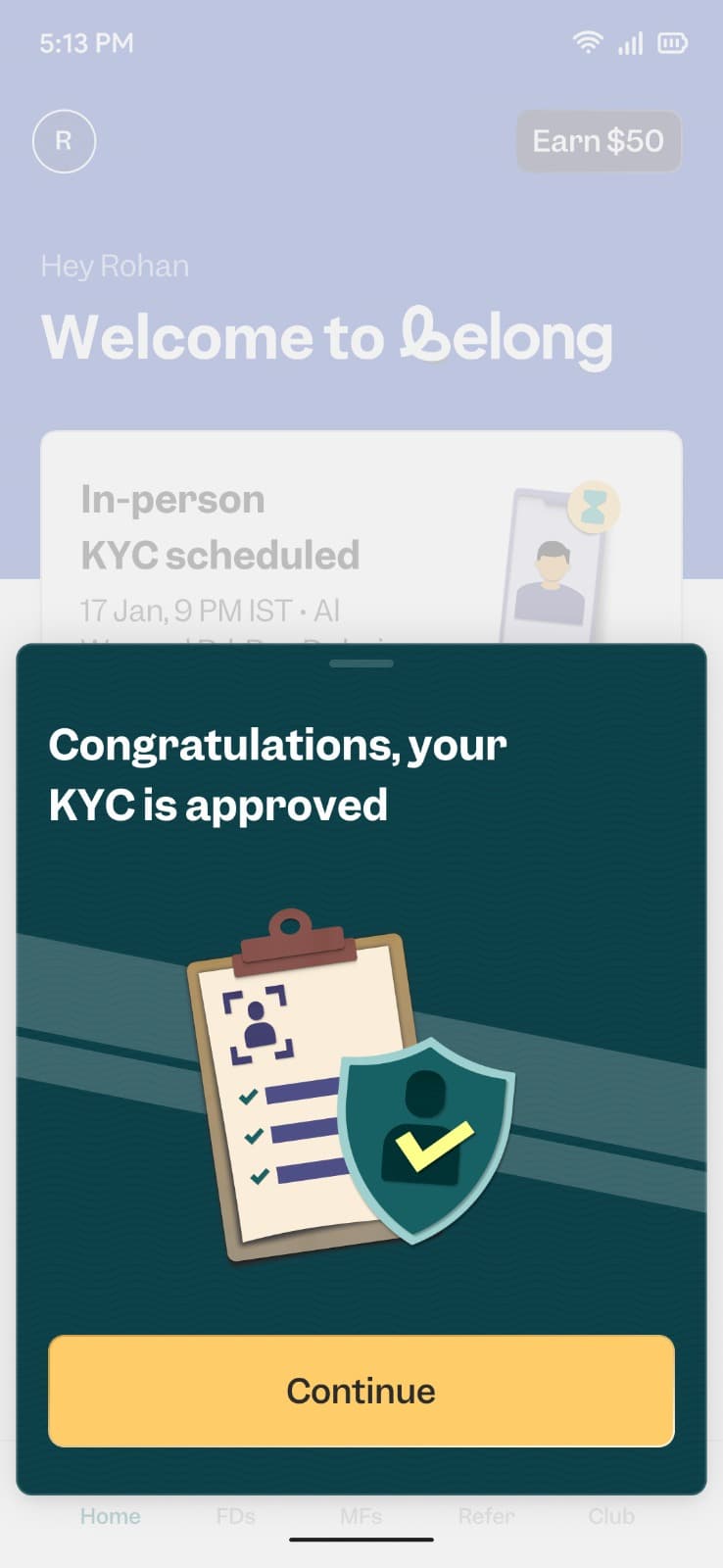
After you complete the e-sign, the Belong team activates your account within 1-2 working days.
You will receive a confirmation notification in the app and an email once your account is live.
That is it. Five steps. No courier tracking. No branch visits. No waiting for relationship manager callbacks.
Once activated, you gain access to your Belong wallet, where you can hold funds in USD before investing.
What Happens After Activation?
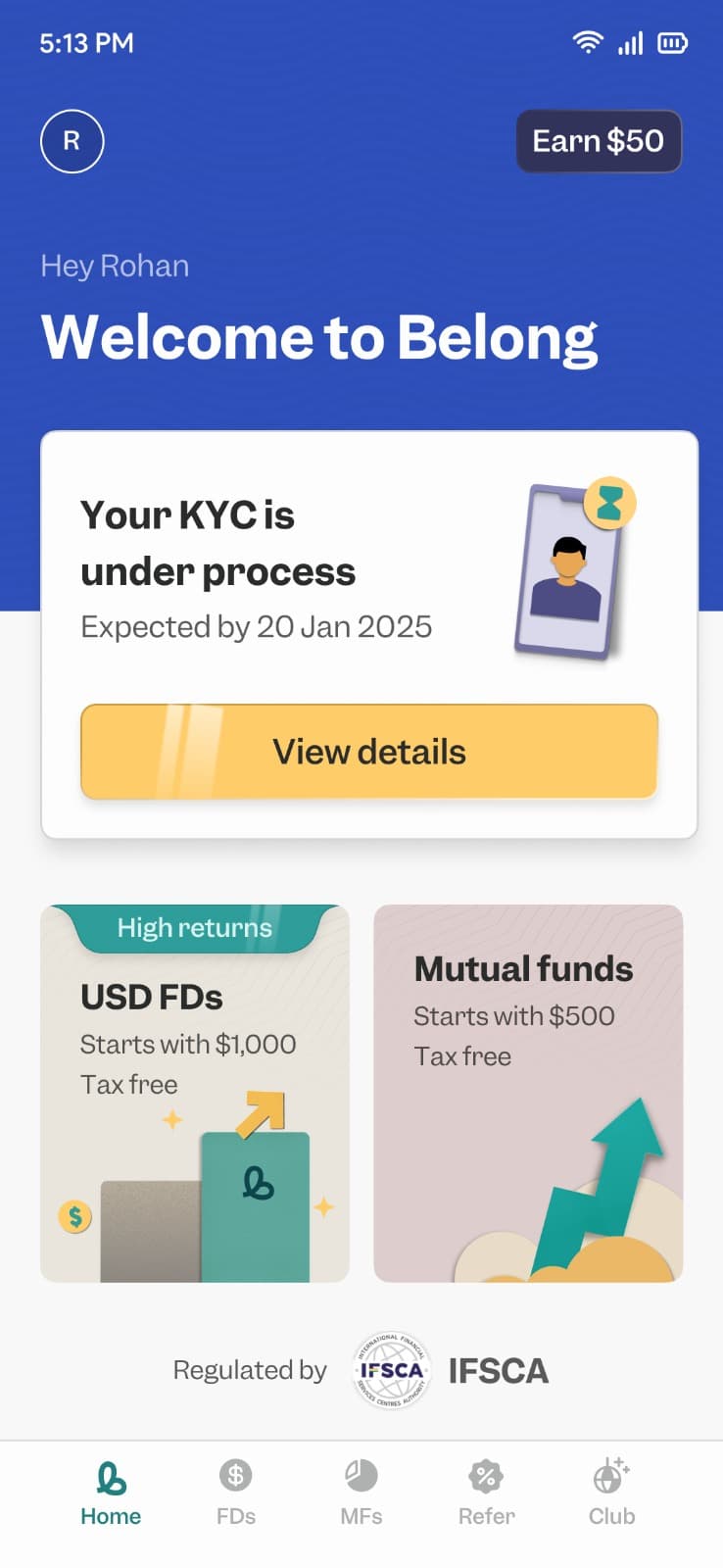
With your account active, you can now fund your Belong wallet and start investing.
Funding your wallet: Transfer money directly from your UAE bank account via SWIFT. The app provides you with bank details for wire transfers. Your funds arrive in USD.
Start investing: Currently, Belong offers USD Fixed Deposits with competitive interest rates from partner banks in GIFT City.
You select tenure, confirm the amount, and book your FD directly in the app. Compare current rates using the NRI FD Comparison Tool.
Track your investments: The app shows your FD details, interest earnings, and maturity dates. You receive an official FD receipt via email from the partner bank.
👉 Tip: Transfer a small amount first (say $500) to test the process. Once you see how quickly funds arrive, you can move larger sums with confidence.
What Products Can You Access Through Belong?
Belong started with USD Fixed Deposits, offering interest rates between 4-6% annually depending on tenure and bank.
These deposits are tax-free in India and fully repatriable.
Upcoming products include GIFT City Mutual Funds, Alternative Investment Funds (AIFs), and access to US stocks through NSE International Exchange.
For now, USD FDs provide a safe starting point. The returns are predictable, the principal is protected, and you get familiar with how the ecosystem works.
Track the Indian market in real-time using GIFT Nifty while you decide on your investment strategy.
How Long Does the Entire Process Take?
Here is a realistic timeline:
Total: Most users have an active account within 2-3 days of starting the application.
Compare this to traditional NRE account opening, which typically takes 15-25 days with document couriering and multiple follow-ups.
Common Issues and How to Solve Them
"I cannot access my Aadhaar-linked mobile number."
You will need to update your mobile number with UIDAI before completing the e-sign.
This can be done at any Aadhaar enrollment center in India or through authorized agents in some countries. Some NRIs complete this during a trip to India.
"My documents are not uploading properly."
Ensure document images are clear and well-lit. The app accepts common formats like JPG and PDF. File sizes should be under 5 MB per document.
"The e-sign link expired."
Contact Belong support through the app or WhatsApp. They can resend the e-sign link to your registered email.
"My KYC is taking longer than expected."
Complex cases or documents that need clarification may take additional time. Check the app for any notifications requesting additional information.
Is Belong Safe?
Safety concerns are valid when trying a new platform. Here is what protects your money:
Belong is operated by Betafront Technologies Pvt Ltd through its GIFT City subsidiary, Betafront Financial Services (IFSC) Private Limited.
The company holds a Payment Services Provider license issued by IFSCA.
Your fixed deposits are booked directly with partner banks operating in GIFT City. These include IFSC branches of major Indian banks regulated by both IFSCA and RBI. The FD is in your name, and you receive official bank receipts.
The Aadhaar e-sign process uses Signzy, a certified e-signing provider backed by India's top certifying authorities like NSDL and eMudhra. All transactions use bank-grade encryption.
The founders of Belong built and sold their previous fintech company, Goalwise, to Niyo. This is not their first time building a financial platform.
Belong vs Traditional NRI Account Opening
👉 Tip: If you already have NRE or NRO accounts, you can still open a Belong account. Many NRIs use both, keeping rupee funds in traditional accounts while building USD holdings through GIFT City.
Your Next Steps
Opening a Belong account removes the biggest barrier NRIs face when investing in India: the complexity of getting started.
Here is what to do now:
Keep your documents ready (passport, Emirates ID, Aadhaar)
Confirm your Aadhaar mobile number is accessible
Complete the in-app KYC
E-sign via Aadhaar OTP
Wait 1-2 days for activation
Start with a small transfer to test the system
Join our WhatsApp community to connect with thousands of NRIs navigating similar decisions. Real experiences from people who have completed exactly what you are planning.
Ready to stop waiting and start investing? The Belong app is waiting.

Comments
Your comment has been submitted